How to Install IPTV Smarters Pro on Firestick (2026 Video Guide)
How To Install IPTV
What is IPTV Smarters Pro?
Those who are new or just getting into the IPTV Industry may have heard of Smarters Pro but are unsure of exactly how this platform works.
As referenced above, IPTV Subscribers can integrate their service into Smarters Pro to access their full library of media including live channels and video on demand.
Most Providers do not offer a streaming application to view the content they provide and this is where an IPTV Player such as IPTV Smarters Pro comes in.
You can use a special URL combination typically given to you when you register for your service and input this into a player. We provide more details on this below.
Using Smarters Pro is a fabulous way to get started with IPTV Players, especially for its simplicity and usability on almost any device imaginable! Continue reading for installation instructions.
Features at a Glance
There are plenty of notable features worth pointing out that make IPTV Smarters one of the best applications available to stream live television. Here are the some of the best:
- 100% Free
- Accepts M3U URLs, Xtream Codes, & Local Files
- Working EPG (Electronic Program Guide)
- Multiple Playlist Capabilities
- Advanced Settings
- Recording Capabilities
- Parental Controls
- and more
We go into detail of the features listed above and much more so make sure you read below the installation guide to see how you can make the most out of this media application.
How to Install IPTV Smarters Pro on Firestick & Google/Android TV
NOTE: We are using a Fire TV Stick 4K Max in the screenshots below. However, this exact method will also work on Google/Android TV Boxes as well as any variation of Firestick or Fire TV as well as popular Smart TVs.
1. You must first install the Downloader app on your device. If you haven’t done this, refer to our tutorial below.
Lorem ipsum dolor sit amet, consectetur adipiscing elit. Ut elit tellus, luctus nec ullamcorper mattis, pulvinar dapibus leo.
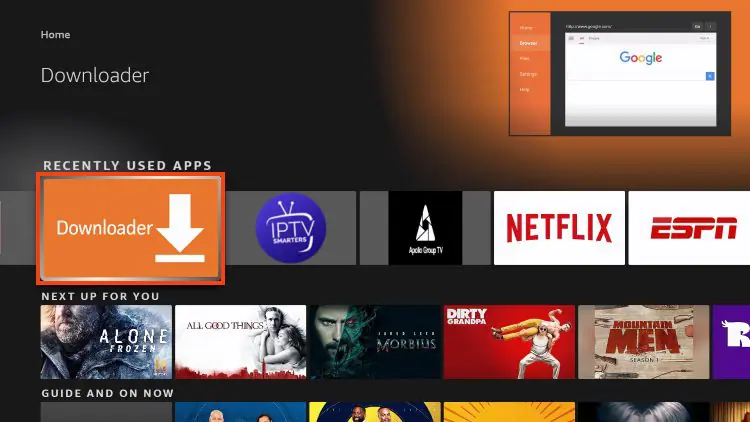
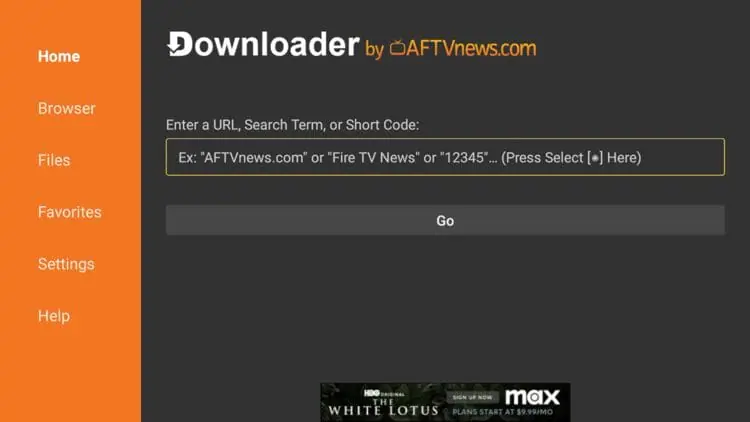
2. Launch Downloader and place your cursor in the URL box and click the OK button on your remote to open the keyboard.
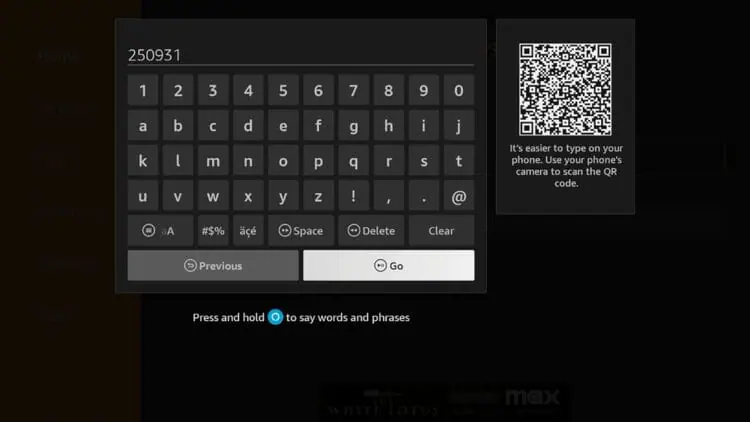
3. Now, type 250931 and click Go. This is the official code for the TROYPOINT Toolbox.
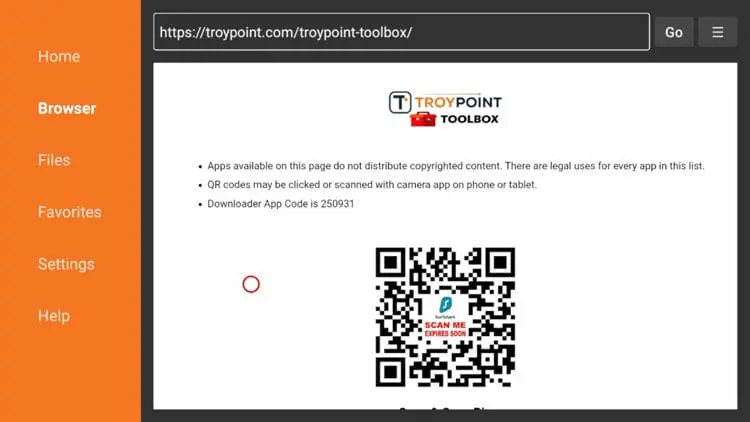
4. You are now presented with the home screen of the TROYPOINT Toolbox.
5. Scroll down to find IPTV Smarters Pro and click Download.
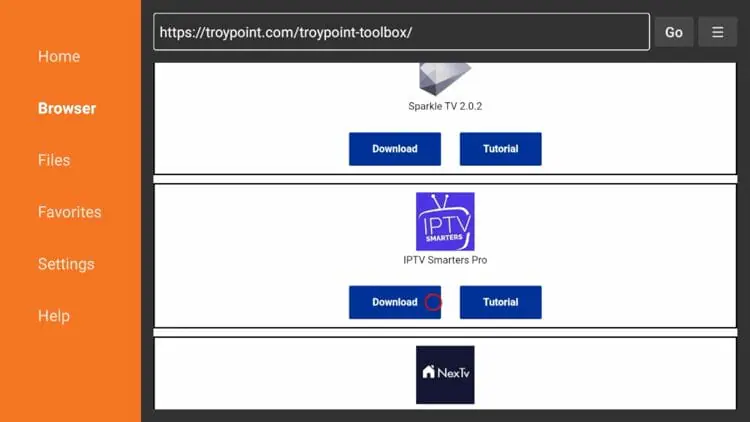
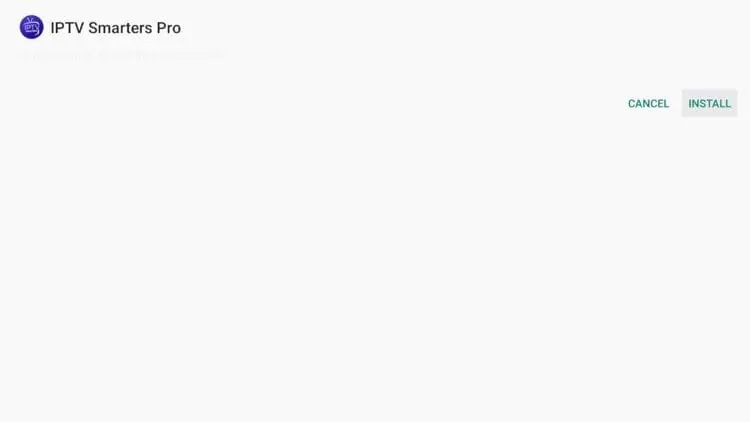
6. Wait for the app to download and click Install.
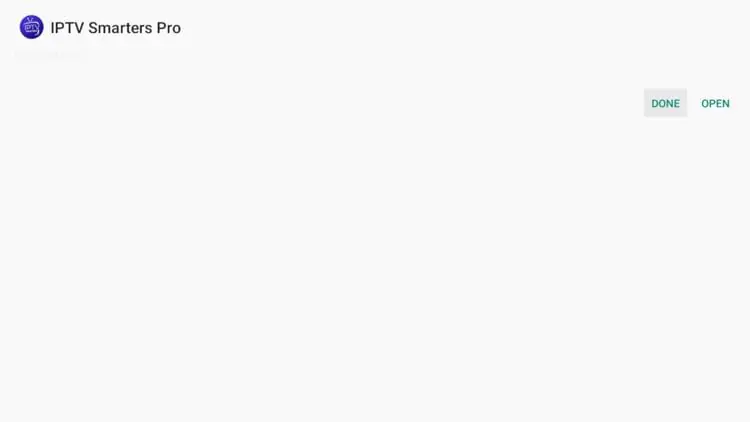
7. Then click Done.
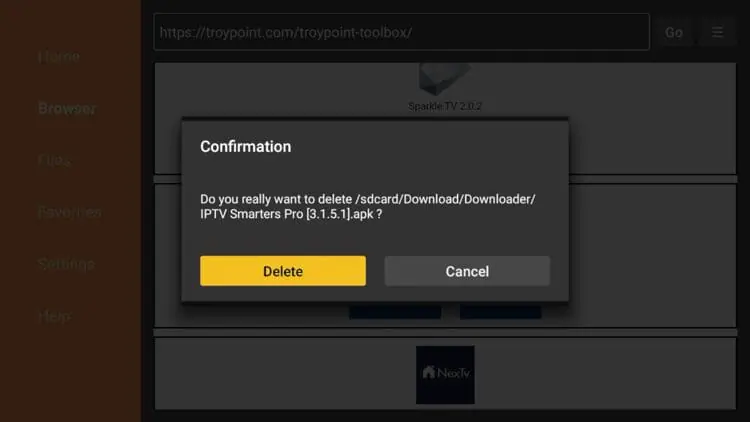
8. You are then prompted to delete the installation file. This will free up space on your device. Click Delete.
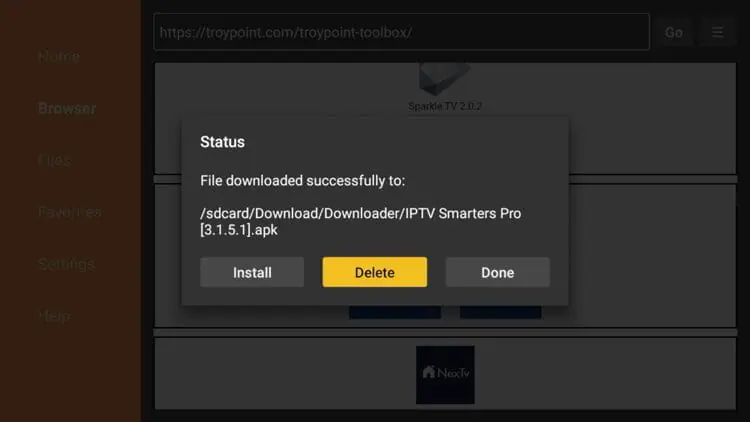
9. Choose Delete again.
10. Installation is now complete. You can find IPTV Smarters Pro in your applications list.
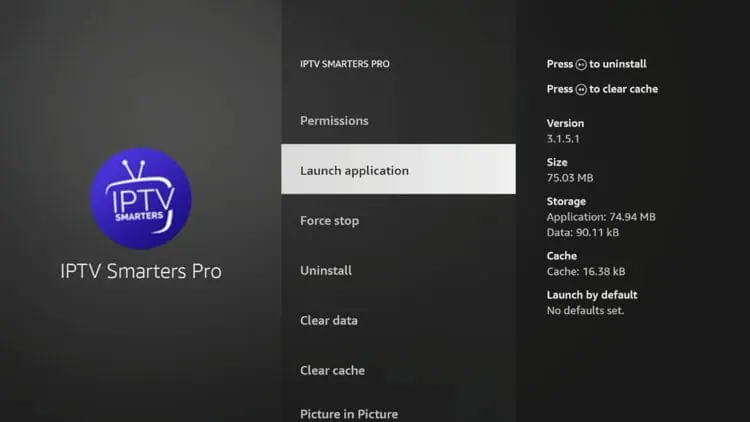
Continue reading for more info on this application and other install guides for various devices.
What Our IPTV USA Customers Say
Real reviews from our satisfied IPTV USA customers. Join thousands of Americans who already enjoy 25,000+ live channels, 4K streaming, and the most reliable IPTV service in the United States.
Smarters Pro is hands down the best IPTV service in the USA. Over 25,000 channels and zero buffering — I cancelled my cable the same day!

Tyler Morgan


Discover Premium USA IPTV Service
IPTV (Internet Protocol Television) is advanced streaming technology
that delivers television content through internet connections rather
than traditional cable or satellite systems. Our USA IPTV service works
by converting TV signals into digital data packets transmitted over
high-speed internet to your devices.
When you subscribe, you receive secure access credentials to our
premium streaming servers located across the United States. Simply
install your preferred IPTV player app, enter your login details, and
instantly access over 25,000 live channels plus 120,000+ on-demand titles.
Furthermore, unlike traditional TV services, IPTV allows you to watch
your favorite content anywhere with internet access, making it perfect
for modern American households seeking flexible entertainment solutions.
Our service delivers high-quality streaming through advanced servers across the USA. Simply connect your device, sign in to your account, and enjoy instant access to 25,000+ channels and 120,000+ VOD content in crystal-clear quality with zero buffering guaranteed.
Our service works seamlessly on Smart TVs, Android/iOS devices, Amazon Firestick, MAG boxes, Roku, Apple TV, Nvidia Shield, Chromecast, and computers. One subscription supports up to 4 devices simultaneously.
IPTV costs 70–80% less than traditional cable while offering more content. Our IPTV plans start at just $18.95/month compared to cable packages that typically cost $80–150/month in the USA — no hidden fees, no equipment rental, no contracts.
Complete sports coverage with 500+ international sports channels in 4K quality — including NFL, NBA, MLB, NHL, UFC, boxing PPV events, and much more. PPV events normally costing $70–90 are included at no extra charge.
A VPN is optional but recommended for privacy and to avoid ISP throttling. Some US internet providers may slow down streaming traffic during peak hours. A VPN ensures consistent speeds and adds an extra layer of privacy protection.
Accordion Widget for Elementor allows you to present plenty of content in a foldable and concise way.
First, we provide you with more than 10,000 premium & normal Live TV
Channels. In addition to that, we offer more than 18,000 VOD (Movies
& TV Shows). Second, there are no extra costs — just the IPTV
Subscription Fees. Furthermore, we have a very stable worldwide IPTV
Service. Third, our high bandwidth IPTV servers ensure stability and
no freezing. Moreover, we really care about our customers' satisfaction.
Therefore, we provide the cheapest IPTV Subscription prices in the USA.
As a result, thousands of American customers choose us every month.
Yes. IPTV is legal in the USA as long as the provider offers licensed and approved content. Our service complies with all American broadcasting standards and regulations, ensuring your subscription is completely legitimate and secure.
You can stream IPTV on almost any device: Android TV box or mobile, Amazon Firestick/Fire TV, Smart TVs (Samsung, LG, etc.), iPhone/iPad, Windows and Mac computers, MAG box and Formuler devices — all fully supported.
Look for IPTV that offers: US and international channels, 4K/HD quality, stable anti-freeze servers, 24/7 sports and VOD library, and multiple device support. Our IPTV USA plans offer all of this and more — with free trial options and secure payments.
Yes! We offer a free IPTV trial so you can test our service risk-free before subscribing. You'll get instant access to live channels and VOD — no credit card required.
We recommend TiviMate, IMPlayer, and ibPlayer Pro as the best IPTV players. They are simple, user-friendly, and work on most devices including Android, iOS, Firestick, and Smart TVs.